


Download and view the PDF
This is the second of three articles describing our club’s website NCR-PCA.ORG. In the March Northlander, we took a quick ride through the website’s history. You can view that article here. This month we will journey through the website’s functionality. Next month we will look under the hood and describe the technology used to develop and maintain the site.
Have you ever visited the club’s website NCR-PCA.ORG. It’s where all the current and much of the historical information about the club is stored. Whether you are looking for photos of the last event or what is happening next, it’s on the website. Let’s look at “What you can do at NCR-PCA.ORG”.
Bold indicates website page i.e., Home Page.
Italics indicates a website menu link i.e., Activities.
Where to start?
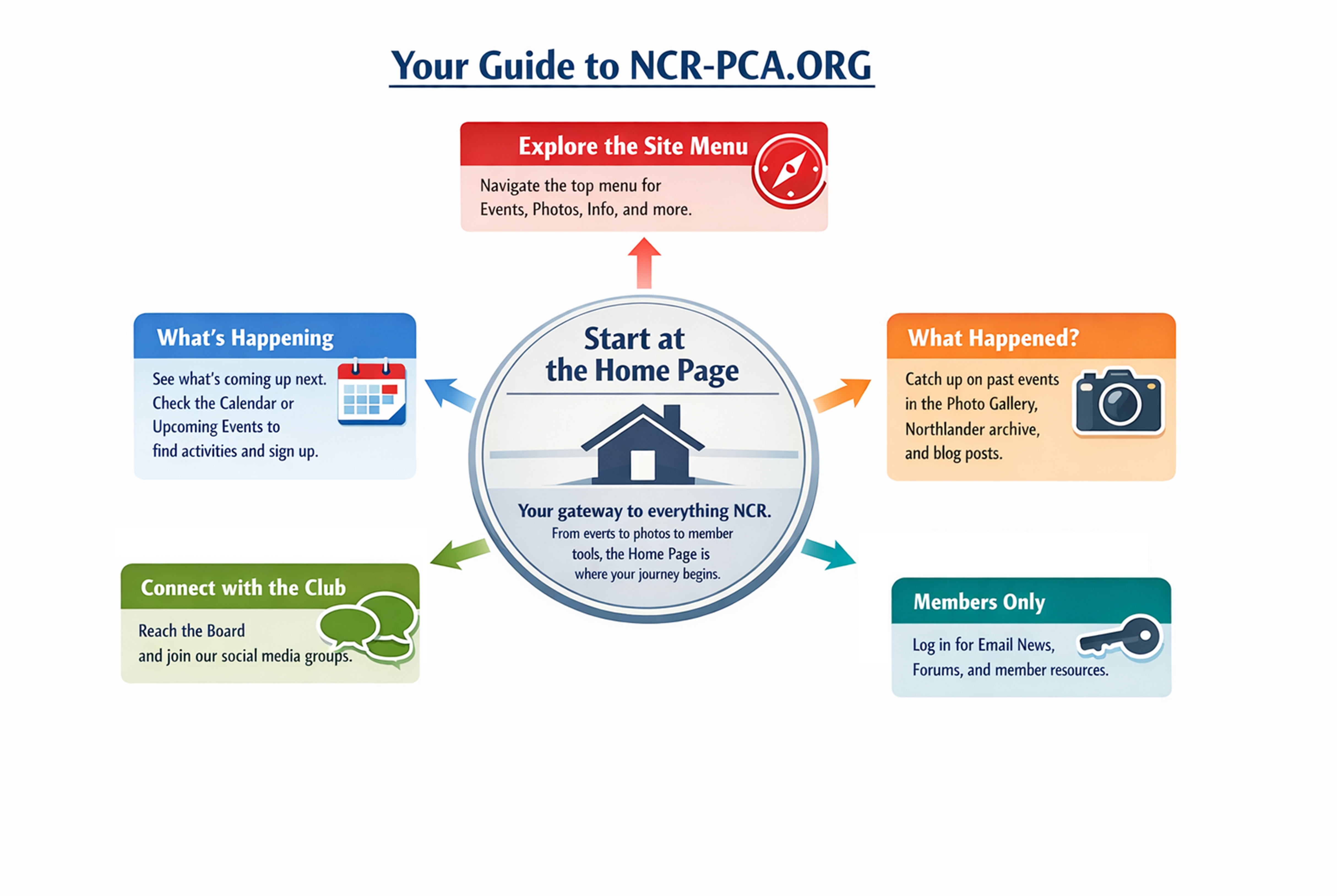
The Home Page of the website is the place to start. Here you will find the current topics of interest along with quick links to all our activities with thumbnail photos of current activities. The rest of the left side of the Home Page has brief descriptions of current events and activities. On the right side of the Home Page, you will see a column that contains the Login area, the current issue of Northlander, our Upcoming Events list, and our Sponsors and the PCA National Advertisements. The top of the page has icon links to PCA National, Zone 1, and our Facebook and Instagram pages. Lastly, the site menu has links to our Calendar, Photos, Activities, Information, Marketplace, and PCA. That’s the view from 50,000 feet, now let’s look at what you can do at the website.
What’s happening?
To find out what is happening with your favorite club activity, check on the Home Page Upcoming Events that list the next few weeks of events, or use the Calendar menu link to scroll through the activities by month. Either way you will end up at the event description that will often include a registration link. Event registrations for the club are provided by MotorsportReg.com.
What’s happened?
If you are looking to see what happened at a recent event, look at the Home Page for an article covering the event or check out the Photos menu link to see the photos from the event.
The are three ways to see what happened with all your favorite club activities.
First, there are over 30,000 photos to view in the Photos Gallery and Archive. The last decade of event photos is accessed from the Photos Gallery menu link. The Photos Archive menu link is the original photo gallery that was implemented in 2007 and archived in 2016. The Photos Archive groups the events by year, while the Photos Gallery categorizes the events by year and activity. Most of these images were taken by David Churcher, our Northlander Editor.
The second way to see what happened is to take a trip through the Northlander archive. Over 220 issues of the Northlander are available at the website starting in 2004. Starting in 2020 the issues can be viewed interactively online; the remaining issues are PDFs that will be downloaded to your browser.
The final way to check out what happened is to browse the blogs that are available for each club activity using the menu links under Activities. Each activity area is maintained by the activity chair and includes articles from events or useful information for attending the events.
How can I get in touch?
The website is the hub for members to contact board and chairpersons and to keep in touch with other members through links to our social media groups. To contact a board member or chairperson use the Information menu link and select the Board or Committee Chairs and Staff menu link. The screen will show you the contact information including phone numbers for most positions. To email the individual, select their name and complete the form.
To keep in touch with other members you can visit the social media sites that are maintained by club members. These links are at the top right of the Home Page and require a separate login.
What’s members only?
For those of you who have login credentials for the website, once you login using the blue Login button on the right side of the Home Page you will see an additional Members menu link. This menu contains links to view Email News, Mail List Subscriptions, Forums, Great Links, Surveys, and Your Details links. You will also see an icon panel for the NCR Goodie Store and Search panel for all the website artifacts including the Northlander issues. You will also be able to view the 2001 to 2019 Autocross Results.
If your login credentials are for the board area, the Members menu link includes links to Submit Expenses and Insurance Waiver. You will also find the administrative links at the bottom of the Home Page.
NCR‑PCA.ORG is built for you — the volunteers, enthusiasts, and friends who make the North Country Region what it is. Whether you’re chasing apexes, clobbering cones, planning your next event, or simply staying connected with the community, the website is your always‑on companion. Dive in, explore, and make it part of your Porsche journey.
Next month we will describe the technology that powers the website. If you have questions or comments about the club’s website, contact the Acting Website Chair.
Did you know?
If you select one of the thumbnail photos, you jump to the photo gallery for that event.
Select the NCR Icon on any page to jump to the Home Page.
Select the current issue of the Northlander thumbnail on the Home Page to read it online.
Use the “You are Here” breadcrumb entries to jump to any page in that list.
Use Sitemap to jump to any page on the website.
The Smartphone menu collapses to three horizontal lines just below the Masthead image.
Brief videos of website functionality can be viewed at this link with a member’s login.